Purpose
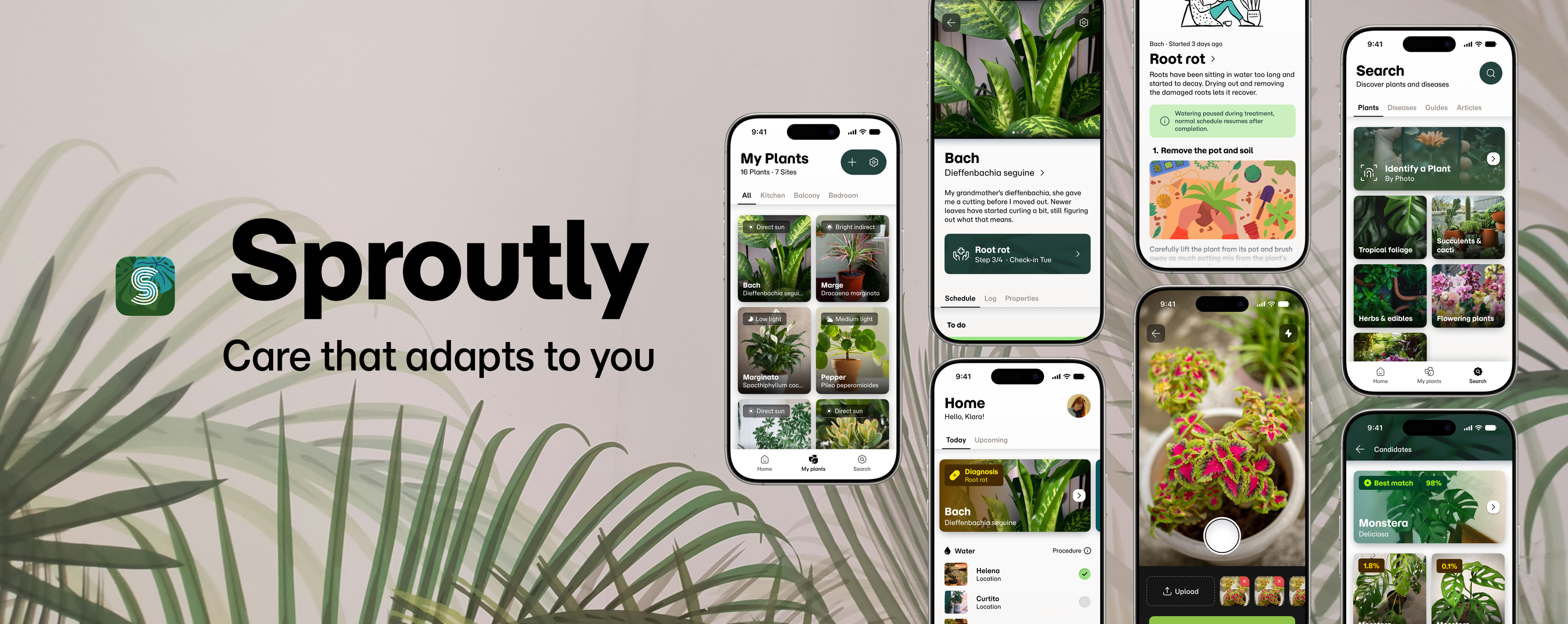
Sproutly was created to close the gap between expert botanical knowledge and the average plant owner. It helps owners solve care issues in the moment, then stay ahead of them with a schedule built around their care rhythm.
Overview
Role: Research & Design
Product: Mobile App
Tools: Figma
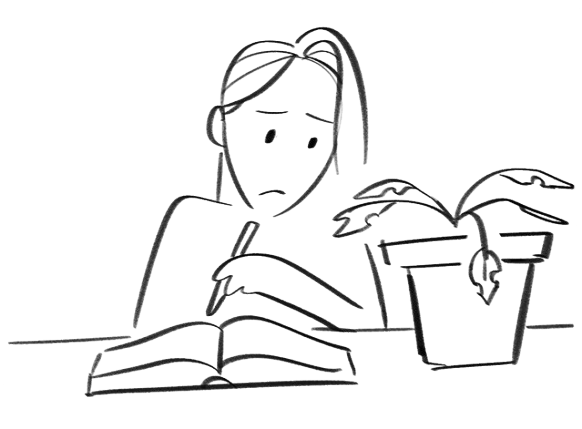
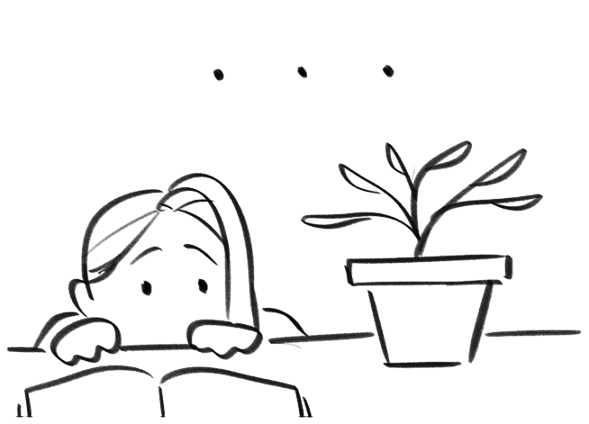
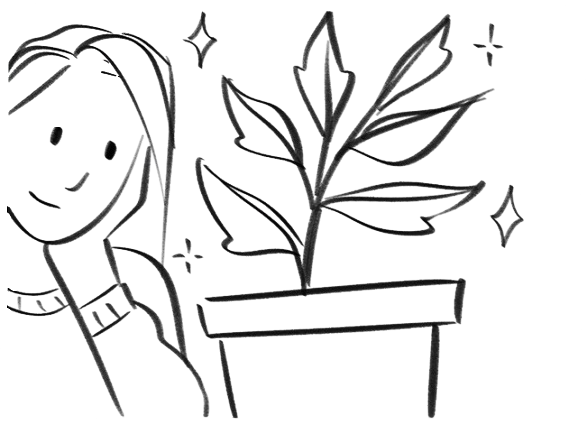
Her plant grows sick.

Users & Audience
Plant ownership includes almost anyone. Owners can be old or young. Owners can have skill or have no skill. Despite this range, owners had some things in common for why they own plants:
- Aesthetic (decoration, self expression)
- Functional (food, air, fragrance, privacy)
- Relational (gifted, inherited, shared hobby)
- Psychological wellbeing (calming ritual or routine and connection to nature)
Research Findings
1
Placement is a recurring pain. Plants are chosen partly for how they shape a room, but decorative placement often clashes with what a plant actually needs, leading it to grow in unhealthy or undesirable ways.
2
Users distrust one-size-fits-all care advice. They favor guides and other owners' experiences over rigid "pro tips," Preferring guidance that feels calibrated to their plant instead of relying on universal rules.
3
Care rhythm is a spectrum. Only one of six interviewees relied on a strict schedule. Most read their plants directly, staying observant rather than following a fixed calendar. Rhythms are preferential but can also shift with the owner's capacity and current life situation.
4
Acquisition of plants happens often through family, friends or social circle. Users expressed a preference for acquiring pre-owned plants and appreciated the attached history and meaning. And sometimes the plant species isn't known, which can lead to difficulties caring for it.
Ideation
Problem
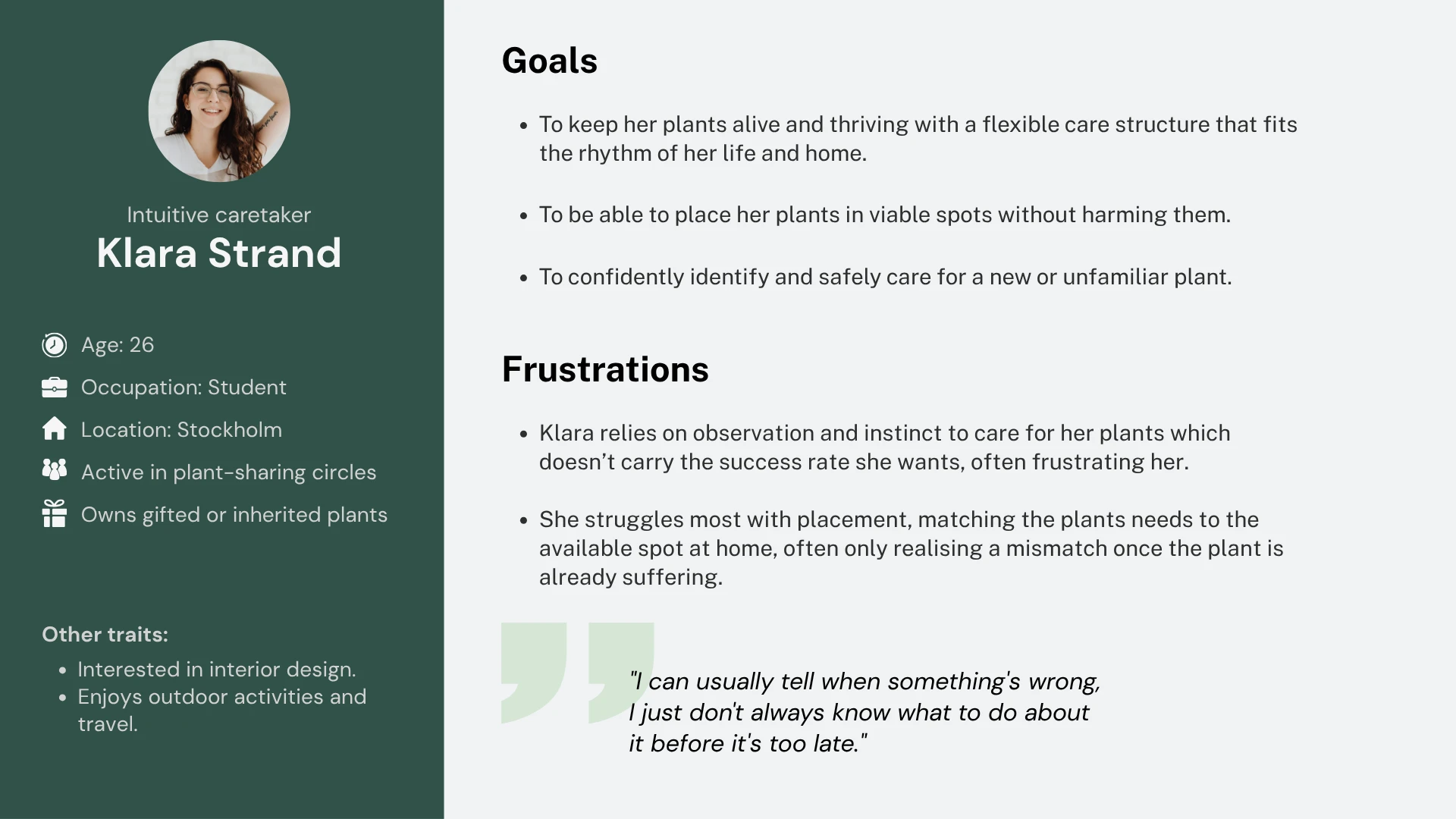
Klara is a student who needs an app to manage care for her plants because she doesn't have the bandwidth to always search for information and experiment with solutions anytime one of her plants has an issue.
Hypothesis
If Klara uses the Sproutly app to manage and care for her plants
Then she can maintain her care rhythm without worry.
Value proposition
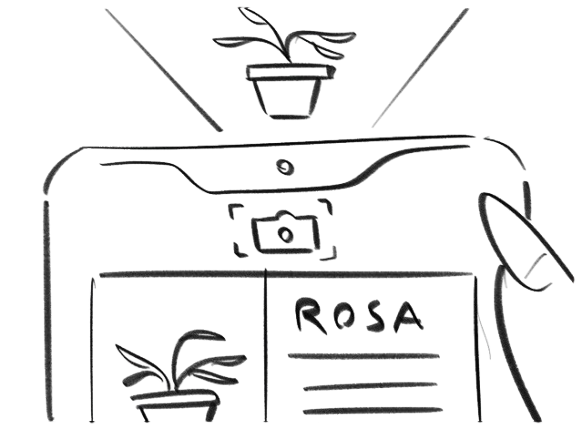
- Identification of plants allows the user to access specific care information
- Plant species have built in properties that adapt to the user's care rhythm within a range decided by placement.
- Placement is aided by a light meter that serves decorative exploration
How might we? Create a scheduling system that responds to the user's care rhythm?
By batching care tasks that occur close in date.
How might we? Help the user place their plants without the concern of endangering its health?
By tracking received light using:
- Light metering
- Distance to window
- Local climate
How might we? Enable independent acquisition of knowledge?
By providing access to discover detailed plant and disease info within the app.
By providing walkthrough guides on specific projects such as pruning and propagation.
Information architecture
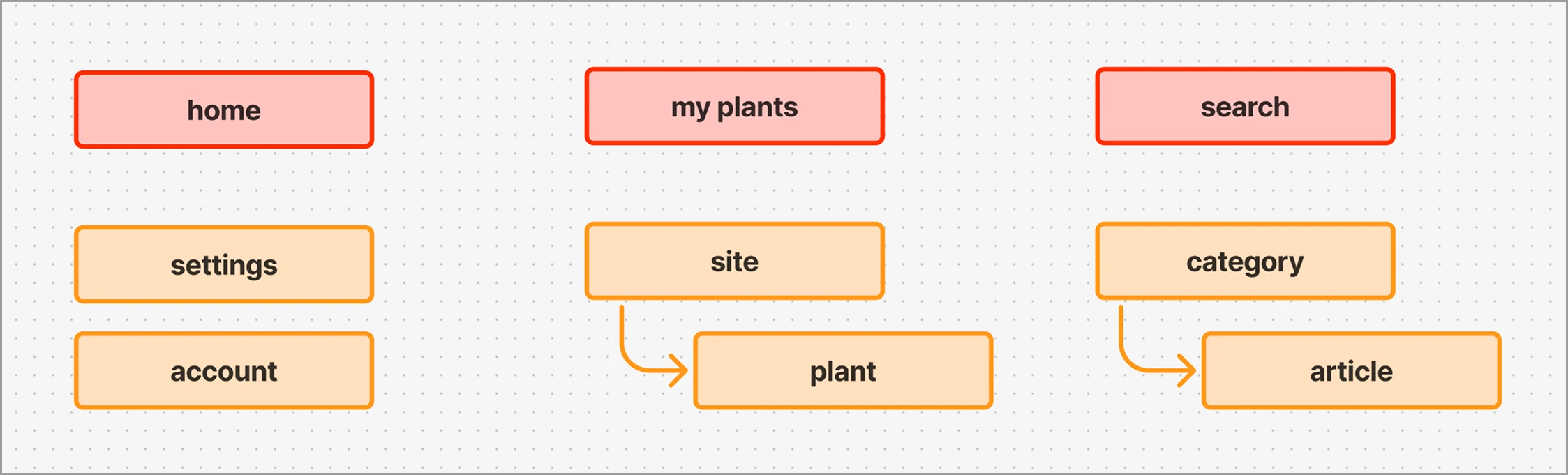
The IA is built around three main pages, each with a distinct job, so no page needs a duplicate entry point elsewhere.
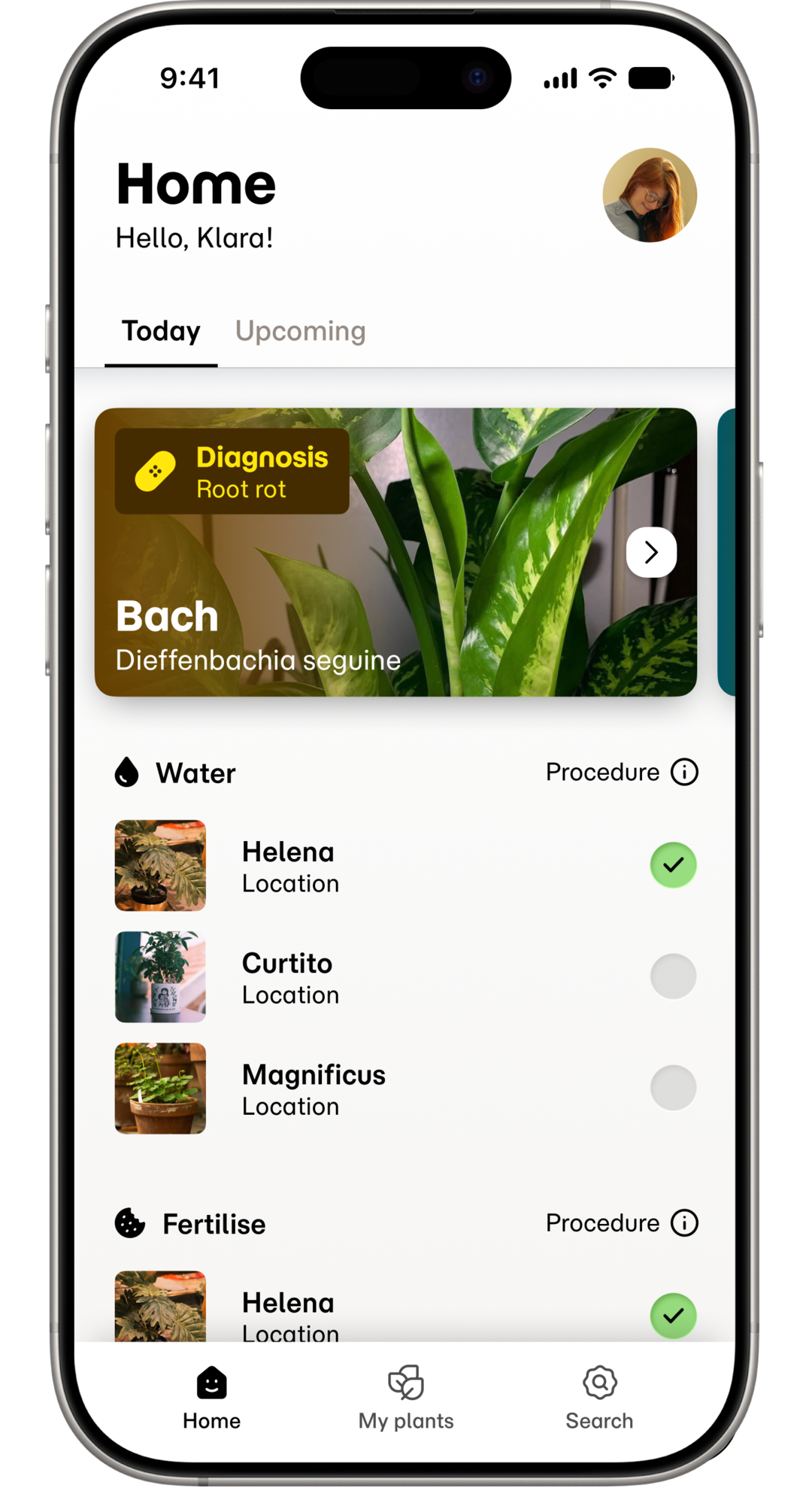
Home is the action centre, the first screen a user sees, focused on what needs immediate attention and what comes next.
My Plants is the access point for owned plants, where a user manages setup, checks details, and reviews a plant's journal.
Search covers both finding a specific plant and open browsing. Guides, walkthroughs, and project specific and self-paced learning live here too.
Everything else in the app sits downstream of these three, this way the user can keep a clear mental map of where everything is supposed to be.
Wireframes
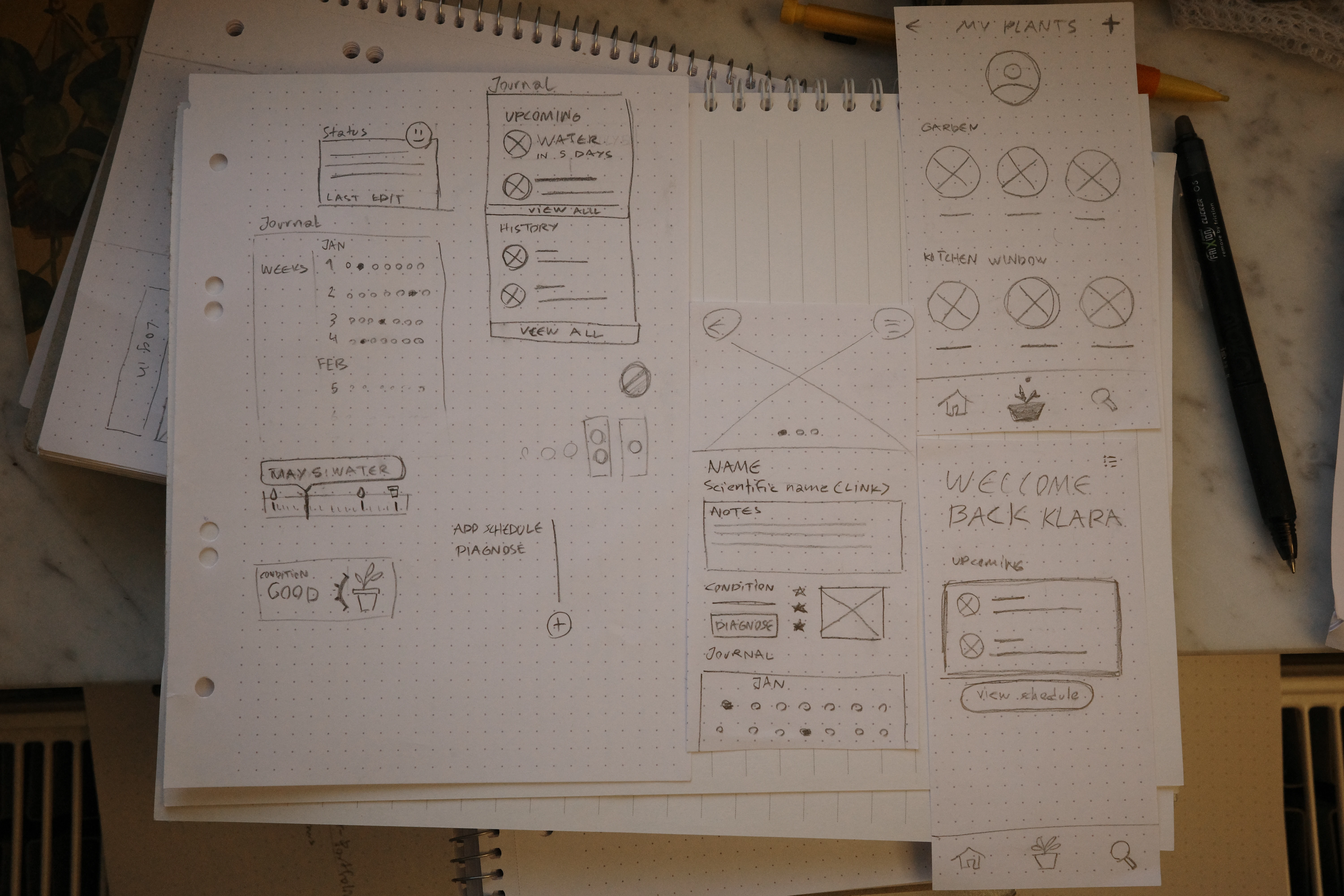
In conjunction with the creation of user flows I sketched out paper wireframes and laid my focus on the core pages, experimented with presentation of information and components.
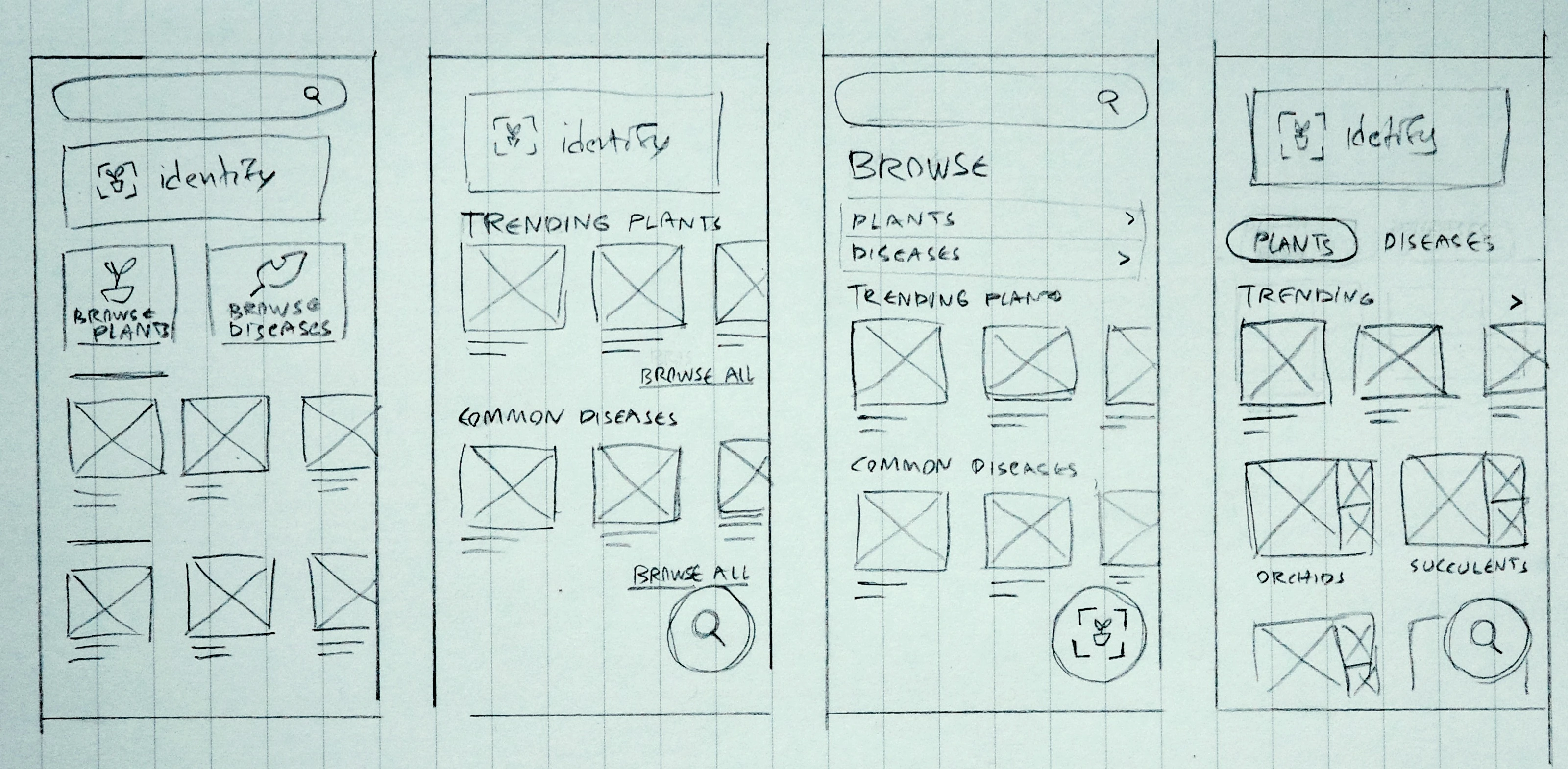
For example in the search tab page I referenced my user flows to streamline the layout and convey browse-ability for the non goal-driven user.
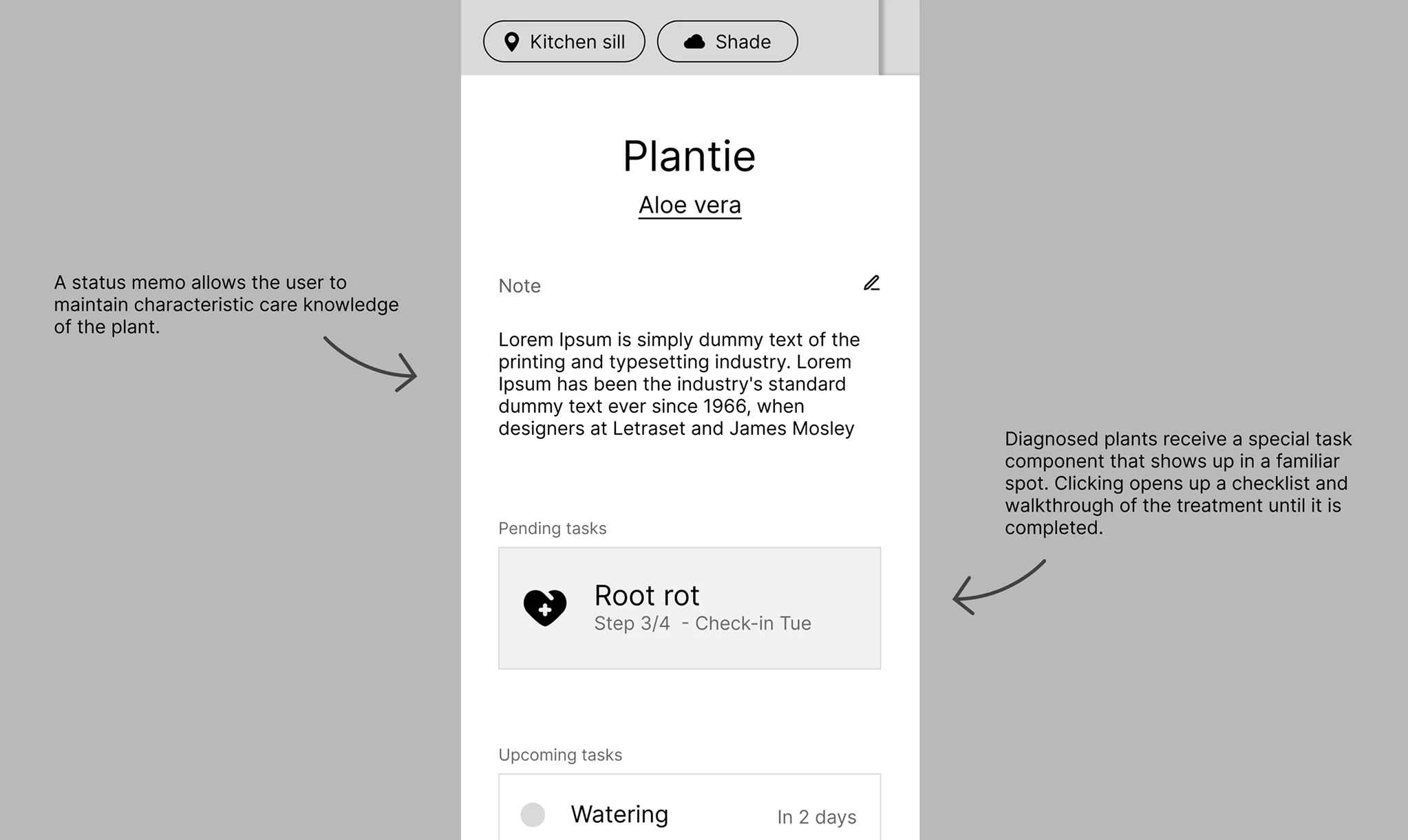
Next I brought all my wireframes into Figma, and began to narrow down and examine the designs further.
Low-fidelity prototype
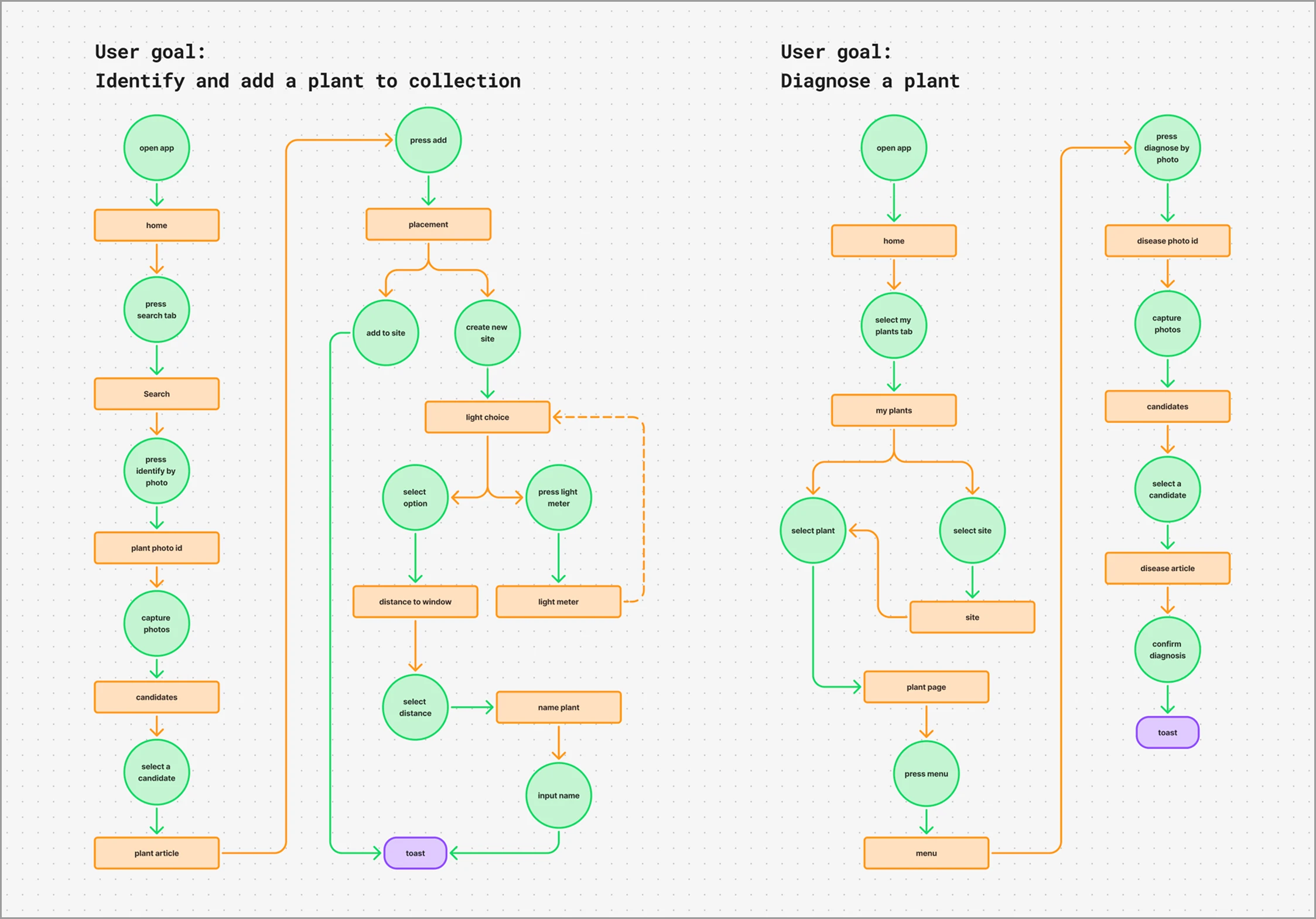
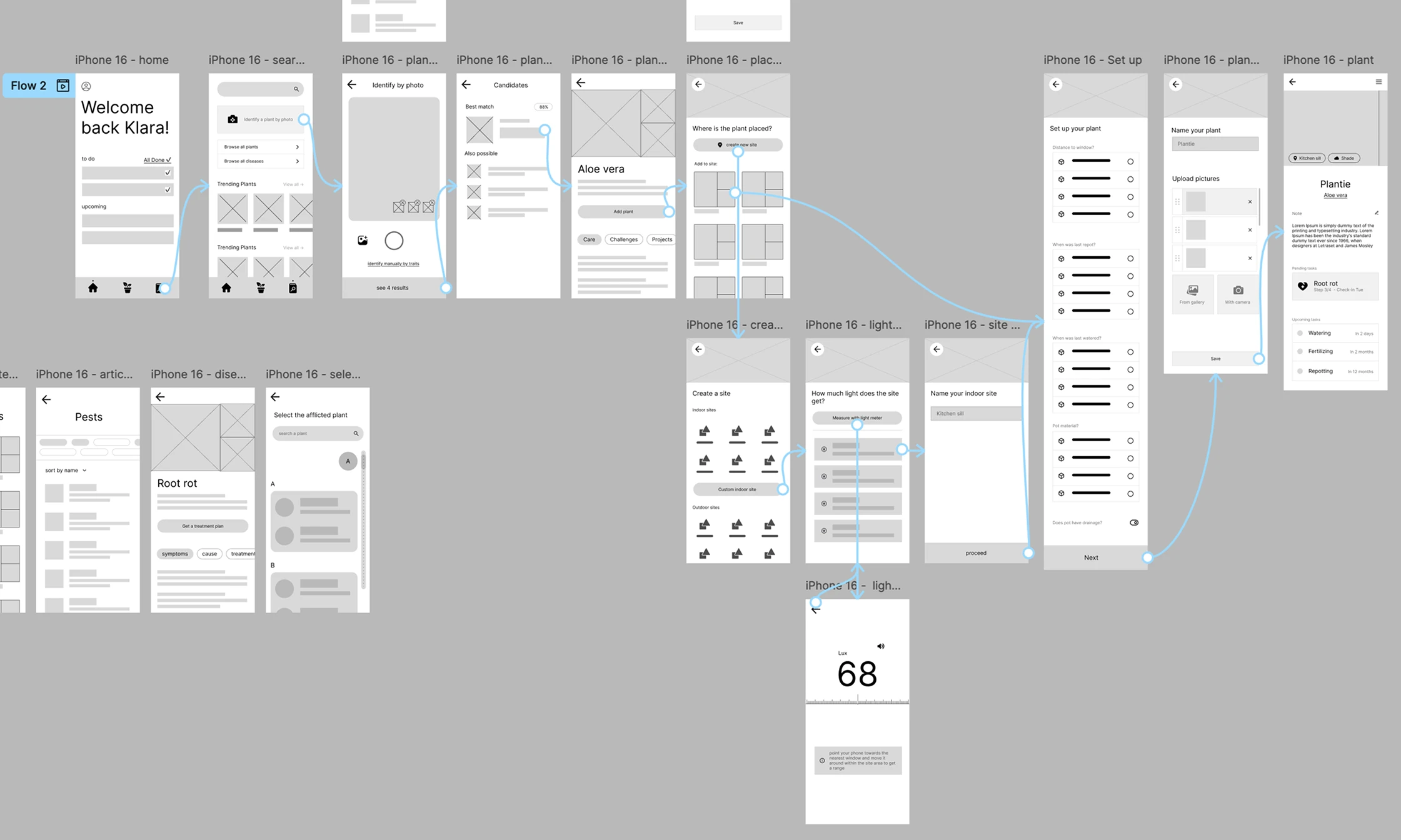
I prototyped the plant ID and initial setup flow to test layout and navigation before moving to higher fidelity.
The core questions were: Which details actually matter? How much specificity is necessary? What can be left out and prompted later?
Design choices
♠︎
I prioritized care for V1. It was the earliest decision I had to make. Because although plant ownership entails more than just having plants to care for, the other aspects such as the relational and functional weren't as important as making sure a user's plants stay alive to begin with.
♣︎
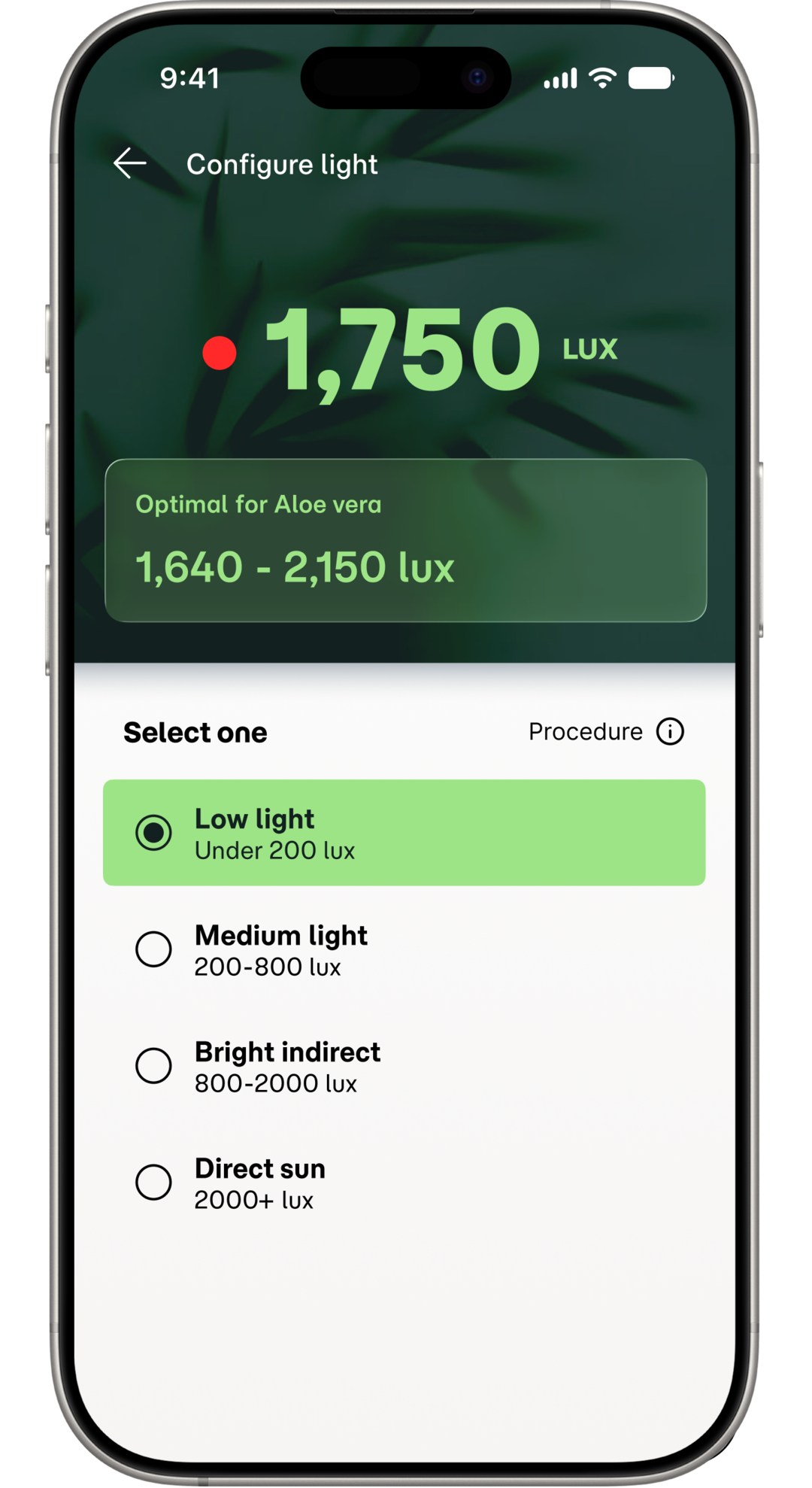
Guided light metering is the approach I took for the light meter feature. This way, anytime the user configures their plant they can open the light configuration page and measure light where the plant is placed and select one of four ranges which the schedule will adjust to. Sacrificing some precision for simplicity using standard botanical shorthand.
♥︎
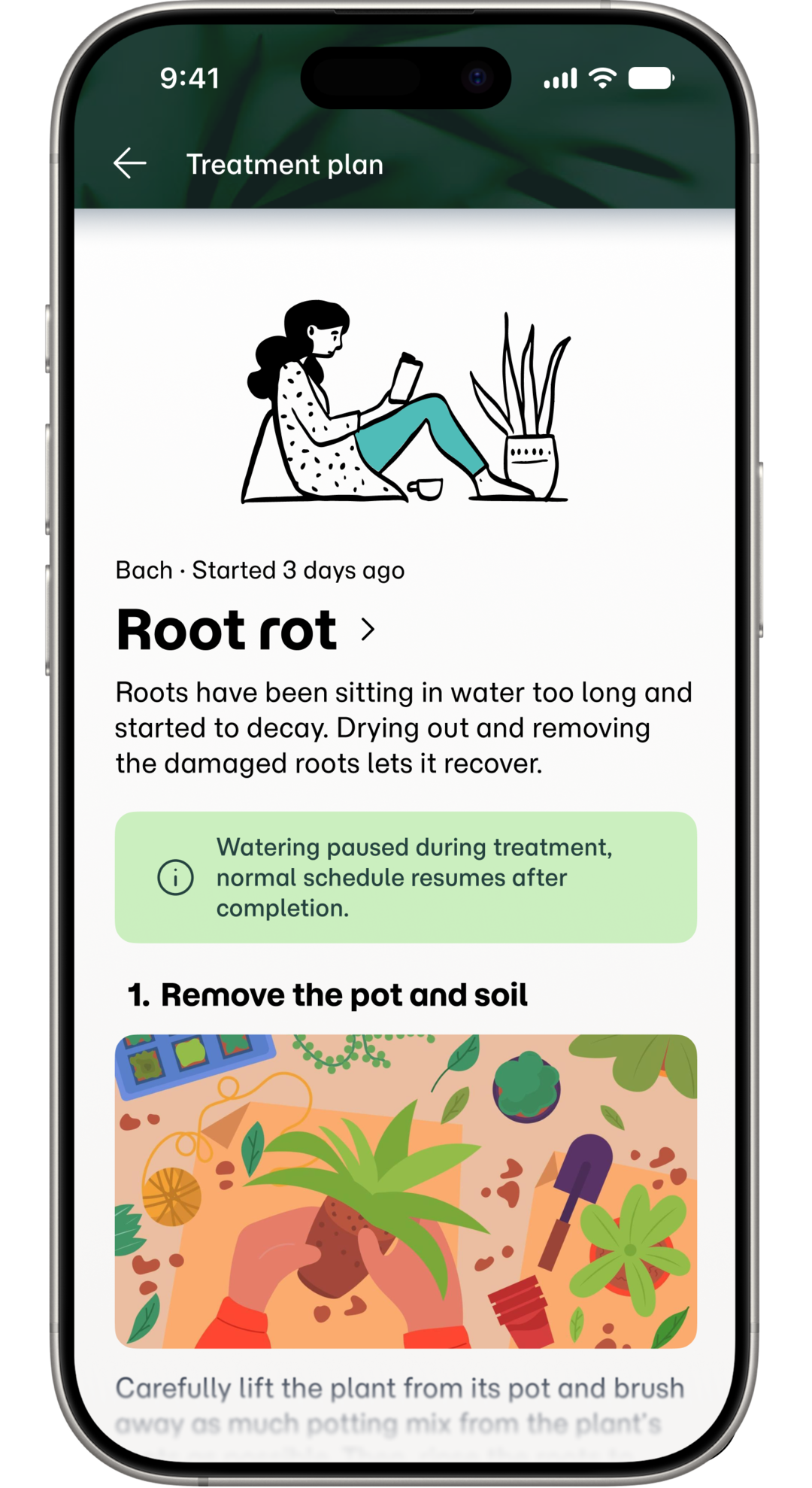
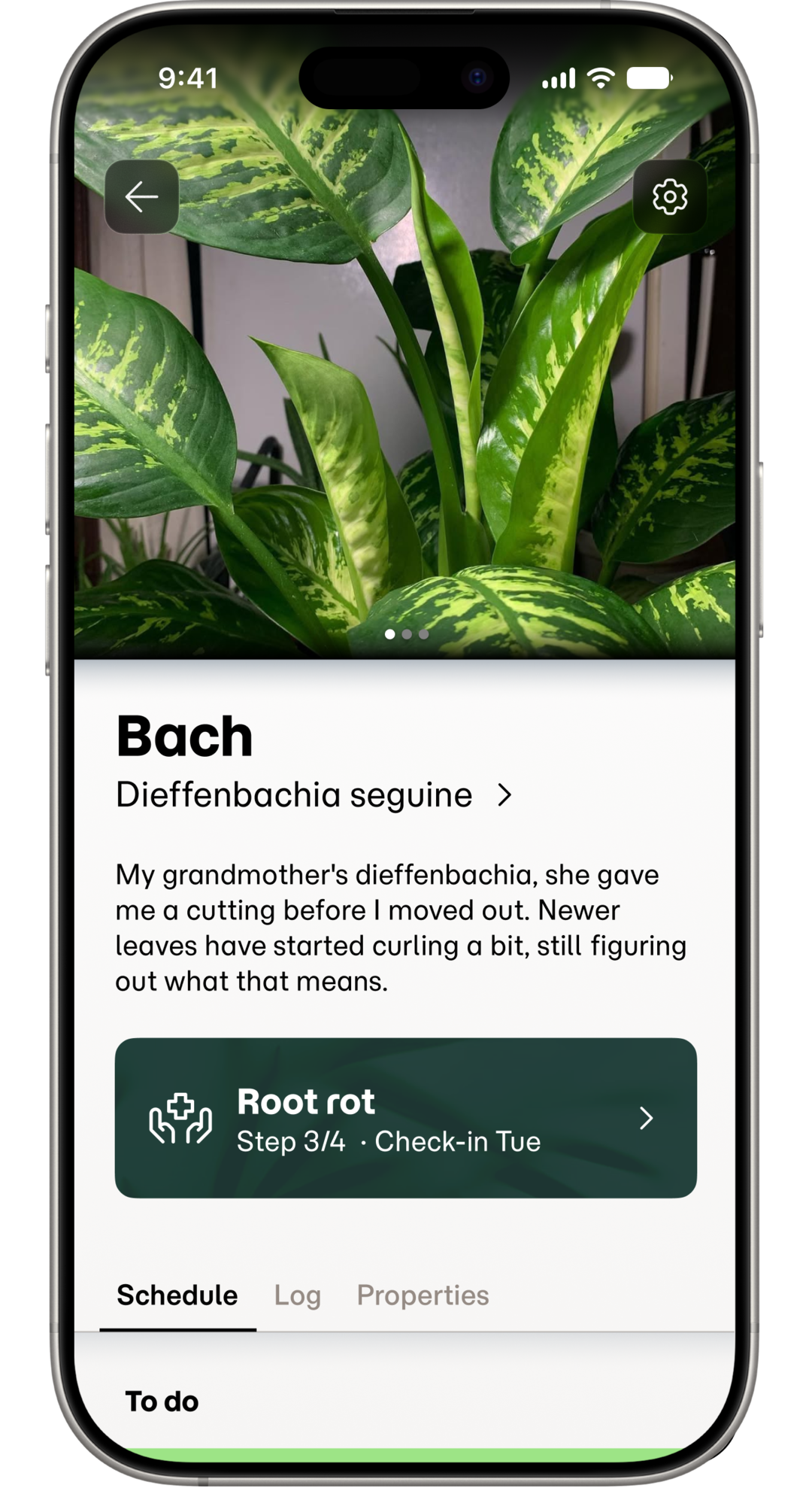
I created a walkthrough format for complex tasks. After diagnosis, the user lands on the wiki page to learn about the disease. From there, they can assign it to the plant they diagnosed, creating a pending to-do item on both the plant's page and Home, with a step-by-step walkthrough. The state will stay active until the user marks the plant healthy again.
♦︎
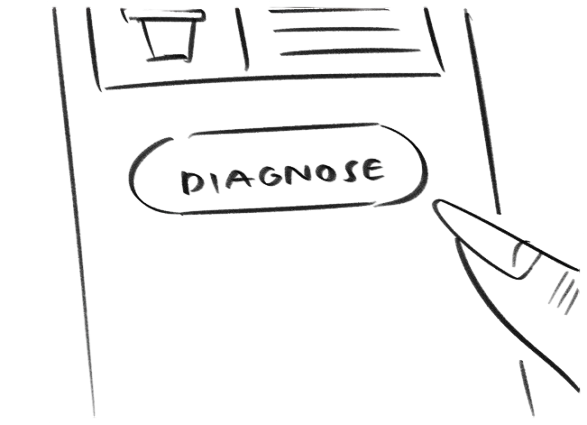
Diagnose can only be activated from a plant already in the user's collection. I simplified feature flows to improve the user's mental model. Diagnosing for example, I had first considered a prominent button in the navigation bar, later I decided against it after I realised that a standalone entry point would lose the user's data once they exit the flow. It could also become a habit, letting users skip adding plants at all, which would undermine the rest of the app's value.
Takeaways
Impact
Because this is a concept project, it impacted me the most as a designer.
- I got more comfortable revisiting decisions I had already called "done."
- I learned to separate what is technically correct from what is actually usable.
- I got sharper at designing for the user's need first, not the cleanest structure.
- I built a habit of matching what I claim or show to what I can actually support.
What I learned
- I learned to separate the data structure from the display categories. The best grouping for logic is not always the best grouping for the user.
- I learned that precision can mislead without context. A raw number needs a frame to mean something to the user.
- I learned to match claims to the certainty a field supports by not adding precision the source data does not have.
Next steps
1
Track care consistency and performance to see how the flexible schedule is actually used, then refine it based on real users interact with the system.
2
Address the social aspect that our research surfaced, connecting owners to peers so that advice, plants, and cuttings can move between them the way they already do informally.
3
Support decorative goals with design guidance. Suggestions on which plants pair well together, and how to group them for a cohesive look across a room.